Students aren't using the library — and the library's displays aren't reaching anyone
Two overlapping problems motivated this project. First, students generally don't look for books in the university library, partly because they're unsure how to find what they want. Second, the library provides interesting displays of art and historical items, but there's no convenient or interactive way for visitors to discover more about them.
The deeper challenge was addressing the disconnect between the immersive experience of physical books and the abundant information available online — a gap that creates friction for readers, educators, and researchers alike.
Goal: use augmented reality to bridge physical library spaces and digital discovery — letting users scan displays, art, and signage to surface relevant books and contextual information in place.
A user study revealed how unfamiliar students really are with the library
An initial user study surfaced findings that directly shaped the design direction:
- Most participants conduct research of some variety, often involving print media, books, and magazines
- Many users try to find a similar book after finishing one — indicating a natural discovery behavior to support
- Of those who read a book summary first, two thirds look beyond the summary for more information
- Almost half of library book borrowers said it takes them 30+ minutes to locate a book they want
- Two thirds of respondents were unfamiliar with how libraries are organized
- Most respondents had the technology needed to use an AR app — a mobile device with a camera
These findings confirmed that the barrier wasn't motivation — users wanted to find books and explore related material. The barrier was navigation and discoverability.
Translating library friction into an AR interaction model
The original design targeted three core problems: people not making full use of the library and not knowing what's available to them; users being intimidated by library navigation; and librarians creating displays that the public wasn't engaging with.
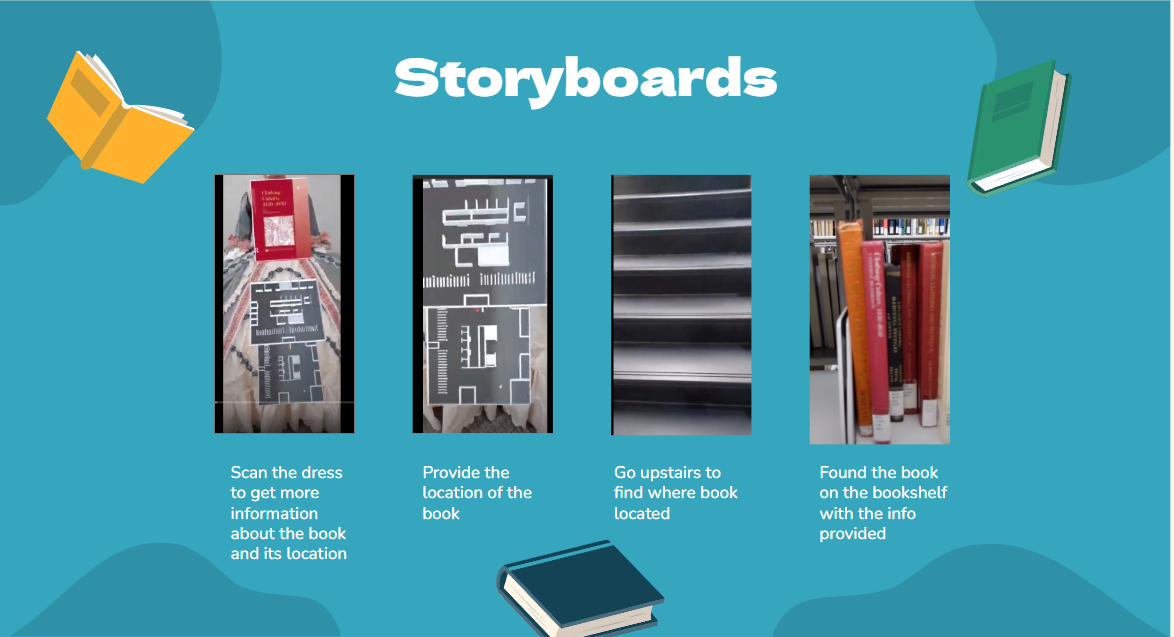
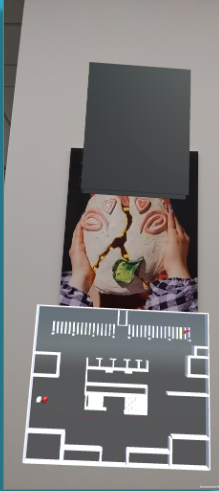
The core interaction was straightforward: a user points their phone at a library display, artwork, or sign, and the AR layer surfaces related books, summaries, and contextual information. The app was designed to serve four overlapping use cases:
- Finding books to assist with research (students and professors)
- Interacting with book displays to view summaries and visual elements
- Navigating the physical library space
- Connecting library art and artifact displays to related books
Key constraint: Vuforia's free tier couldn't scan a space as large as Hillman Library, and the equipment and API access needed to do so properly were cost-prohibitive at the prototype stage.
Building the AR prototype in Unity with Vuforia image tracking
The prototype was built in Unity using Vuforia for image target recognition — allowing the app to identify specific displays and artwork in the library and overlay relevant book information on screen. C++ was used for core logic alongside Unity's component system.
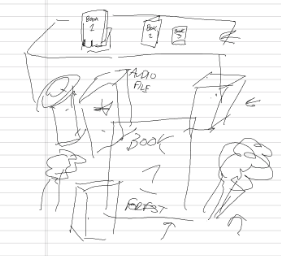
User testing with the prototype surfaced three key issues that informed the next iteration:
- Divisive opinions on the user interface graphics — visual design needed refinement
- The book database didn't fully fit the needs of the target demographic
- No simple way to navigate the inside of a building without building a separate map application
What worked, and what the next iteration would fix
By combining the physicality of books with interactive digital content, the prototype demonstrated meaningful potential for enhancing reader engagement. The app provided instant access to contextual information — particularly useful for readers making decisions about what to read next and for educators seeking to enrich teaching materials. The AR model offered an interactive learning experience capable of attracting student attention and fostering deeper engagement with library content.
Four concrete improvements were identified for a next version:
- Enhance the book recommendation model to better serve the target demographic
- Solve the challenge of presenting 3D book models in AR
- Improve multi-category recommendation buttons for easier touch interaction
- Expand the book database to better reflect what students and researchers actually need
What I learned, and where this could go
This project was a strong proof of concept for AR-based library discovery, but it ran into the practical limits of what's achievable with free tooling at scale. Vuforia's free tier couldn't scan a building as large as Hillman Library, and the equipment and API access required — such as Matterport cameras — were too expensive for a prototype-stage project.
With proper resources, the path forward is clear: tools like Matterport would allow the entire library to be scanned into an AR environment, enabling more image targets and true in-building navigation to a specific book's shelf location. That would turn the prototype's most-requested feature — "help me actually find the book" — into a working experience.
The biggest design lesson was that AR interactions have to earn their complexity. Every extra step between pointing a phone and getting useful information is a reason for a user to give up. Simplicity and speed of the overlay response mattered more than visual richness.